About Us

Maxycore IT Consultatnts is an indigenous Technology solutions company with a competent and reliable pool of experts in various ICT disciplines from Infrastructure design and administration to web development, graphics design/animation, software and application programming, search engine optimization, voice and telephony solution, etc committed to providing technological solutions to small businesses in Nigeria. We are registered with the CAC - RC 2723246. Visit us at www.maxycore.net and let us know how we can be of service.
© Maxycore IT Consultants. Powered by Blogger.

Showing posts with label Tech. Show all posts

Friday, 27 January 2017

Friday, 4 November 2016

Simple Hacks: How To Check Last Modified Date of Webpage


Check Last Modified Date of Webpage
Check last modified date
Pic credit: MaxyCorp Enterprise

Did you know...

that you could check the date a web page you are visiting was last modified?

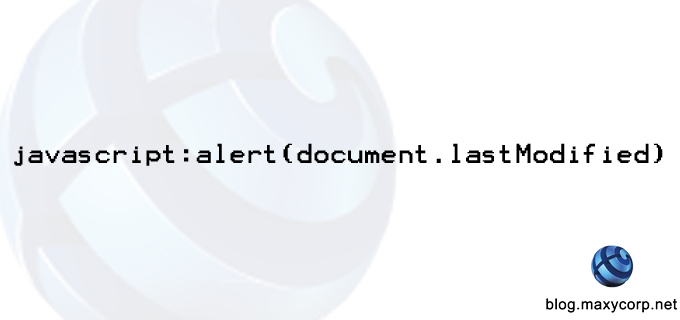
If you are a serious internet user and have ever thought to yourself, "I wonder when this website was last updated", then you need not wonder no more. You can effectively check the last time a website page was modified by entering the following into the address bar of the website:
" javascript:alert(document.lastModified) "
 This simple script queries the current document (web URL) being viewed for one of its native properties - lastModified. This property records the last time the document was modified. Ideally, this is used to tell the last time a webmaster edited the content of a page. Page visitors can use this information to assess the update status of sites that provide time-sensitive information.

This works best on static pages as dynamic pages may have scripts that constantly update the webpage content without the intervention of the Webmaster.

Monday, 31 October 2016

TrueCaller - How Do I Unlist My Number


Truecaller
Picture credit: Internet


Five years ago, the smart world was introduced to Truecaller - a brainchild of two engineers who wanted to offer smart phone users more control over their phone calls (or did they?) Truecaller has grown to be an authority of some sorts in screening phone calls by millions of users.

Monday, 26 September 2016

How to Change The Number of Posts On Blogger Main Page


Google Blogger

If you are a heavy blogger and use the Google Blogger service then you most likely have tinkled with the template design of your blog. Google doesn't have a robust buffet table when it comes to its repository of default blogger templates and very soon any serious blogger would start looking for other options.

Wednesday, 21 September 2016

Do It Yourself Internet Filter


HOW TO TO SET UP YOUR OWN INTERNET FILTER

Restrict Access To Select Websites on Your Windows PC

DISCLAIMER: Advanced level computer users and higher nerds will most likely find this easy and very helpful. The same cannot be said for beginner level users. MaxyCorp cannot be held liable for any time you may waste actually attempting this; any damage - programmatically or physically out of frustration - you may inflict upon your computer hardware after becoming angry at how out of the way this process actually is; and any operating system or software problems that may arise from toying with your Windows Host File. 

Wednesday, 2 September 2015

Tuesday, 11 August 2015

Monday, 3 August 2015

Which Edition of Windows 10 Will I Get as a Free Upgrade?


Upgrading to Windows 10
I recently started the free upgrade process for Windows 10 on my Windows 7 Professional PC. Yippee! There has been so much noise made about how much Microsoft has  put in to Windows 10 to erase the bad memories of Windows 8 (much like what happened with Windows 7 after Windows Vista) that I just couldn't wait to get mainstream feedback from users before migrating. Plus, with the pace of users in these parts of the world to adopt new technology, I couldn't risk losing out on the Free Upgrade which Microsoft has offered for a year. In as much as I love using Windows, as an advocate for Open-Source technology, I don't see myself paying $199 for a Professional edition of the new Windows 10.

One of the questions I asked myself before starting off was this: "Which edition of Windows 10 will Microsoft give me?" So, I checked out the Microsoft FAQ page and found the exact answer. In summary:

Windows 7
From Edition To Edition
Windows 7 Starter Windows 10 Home
Windows 7 Home Basic
Windows 7 Home Premium
Windows 7 Professional Windows 10 Pro
Windows 7 Ultimate

Windows 8
From Edition To Edition
Windows Phone 8.15 Windows 10 Mobile
Windows 8.16 Windows 10 Home
Windows 8.1 Pro Windows 10 Pro
Windows 8.1 Pro for Students

If you have any edition other than what has been listed in the table above, you would need to purchase the Windows 10 operating system to experience it. Microsoft however, recommends a newer device when installing Windows 10 to get the full experience.

Happy Upgrade! Don't forget to tell us what your experience has been.

Wednesday, 29 July 2015

The Hidden Costs in Windows 10


It's no news that Microsoft has launched Windows 10 - the latest installment of Windows operating system by the US software giant. It's also not news that Microsoft is giving it's existing users a free upgrade to the much anticipated Windows 10.
What may be news to most people is that Microsoft has cleverly hidden small costs in the OS. Solitaire, the classic card game that has been many PC users favorite game on the operating system now comes with Ads. The Microsoft Solitaire Collection has been revamped with five variants of the classic Solitaire game to play. To get rid of the ads, users are expected to pay $1.49 per month or $9.99 per year. In this post, according to Mark Hachman, Microsoft may be putting too high a price tag just to take off a bunch of Ads and get a few extra game "coins".
As Microsoft continues it's drive towards subscription based services in order to bolster it's revenue earnings, will this latest move rock the boat?

Tuesday, 28 July 2015

Three Ways to Update Your Blackberry 10


Before we begin, here are three important things you should know:

  1. Before installing any software updates, make a backup of your device using BlackBerry Link to ensure your data can be restored in the event of an issue. Trust me, you do not want to end up half-way with nothing to fall back to. For help performing a backup, check out the BlackBerry Link user guide (PCMac)
  2. BlackBerry 10 OS update availability can be controlled by your wireless provider. So, if you do not see an update that a friend was able to install on their device, it may be a result  of them using a different wireless provider, or purchasing the device from Blackberry shop.
  3. If your device is setup with enterprise email, contact your IT department for guidance on how to update your device software before using any of the methods listed below.

1st Method
Using a BlackBerry 10 device
The first method is checking for, and installing, updated BlackBerry 10 software using your device. Since some software updates can be pretty big, connect to a Wi-Fi network first which can help speed up your download. For those of us conscious of our data plans, you definitely want to pay attention to this point as this helps to avoid data charges when using the mobile network. But you don’t have access to a Wi-Fi network, you can update your device software using BlackBerry Link instead.
  1. On the home screen, swipe down from the top bezel
  2. Tap Settings followed by Software Updates
  3. Tap Check for Updates
  4. If an update is available, tap Update to start the update process
  5. When the software update has finished, restart when prompted

2nd Method
Using BlackBerry Link on a PC, or Mac
Depending on the size of a BlackBerry 10 update, or personal preference, you can update your device software using BlackBerry Link for Windows, orMac OS X.
If you haven’t already, download and install BlackBerry Link and then follow the steps below.
  1. Open BlackBerry Link
  2. Connect your device using a USB cable
  3. Select your device along the left
  4. Click Software Updates
  5. Click Check for Updates and follow the on-screen instructions
  6. When the software update has finished, your device will restart automatically

3rd Method
Using a web browser (PC only)
For those using Mozilla Firefox, or Internet Explorer 5.5 and later on a Microsoft Windows PC, you can check for and install updated BlackBerry 10 device software using your browser.
  1. Open Firefox, or Internet Explorer
  2. Go to http://BlackBerry.com/update
    • If using Firefox, when prompted install the “Rim Handheld Application Loader”
    • If using Internet Explorer, when prompted allow the “BlackBerry WebSL Browser Plug-in from ‘Research in Motion’”
  3. Refresh the website, click Check for Updates and follow the on-screen instructions


Google is splitting Google+ from Youtube


According to an article in a Google+ post by Bradley Horowitz (Google's VP of Photos and Streams), the following changes are confirmed:

1. Google+ profiles will no longer be part of its regular accounts. It will also be removed form Google's universal toolbar.

2. Youtube is breaking up with Google+ which means that a user will no longer need a Google+ account in order to leave a comment on a Youtube video.

3. Google+ Collections and Hangouts will remain as they are and will probably see some improvements.

We all know that Google is a formidable force when it comes to Tech giants but will these changes see its stake in the social network playground improve?

Share your thoughts. Leave a comment.