About Us

Maxycore IT Consultatnts is an indigenous Technology solutions company with a competent and reliable pool of experts in various ICT disciplines from Infrastructure design and administration to web development, graphics design/animation, software and application programming, search engine optimization, voice and telephony solution, etc committed to providing technological solutions to small businesses in Nigeria. We are registered with the CAC - RC 2723246. Visit us at www.maxycore.net and let us know how we can be of service.
© Maxycore IT Consultants. Powered by Blogger.

Wednesday, 11 March 2020

Email Security - Phishing Attempt


IDENTIFYING A PHISHING (SPAM) EMAIL

Hi Guys,

Today, I am going to share a simple lesson with you all and I hope it helps one of you out there.

Earlier in the day, I placed an order on Amazon. About 9 hours later (approx 3:22pm Local time), I received the email shown below in my email box with the title:

"Fw: RE : [Action Required] - [ Account Suspended ]*Important - Alert Your account has been suspended, Please update your Payment Information...!! Date : Wed, March 11, 2020 2:22 PM"


Sample of a phishing email
Phishing Email in Inbox

As a regular Joe, I thought, "Whaaat!? My order was not processed?" and was going to click on the link to "Verify". But as an IT Consultant, I asked myself some questions:

1. Who sent this email?
2. Where does this "Verify" link take me to?

3. Is this Action Required notification in my Amazon account profile?
4. Why is there a RE: and FWD: on the subject if it is indeed an email from Amazon?

I will take you through the answers to those questions so you too can learn how to assess the authenticity of an email.

NOTE:
DO NOT ACCESS ANY OF THE URLs OR ADDRESSES MARKED IN RED BELOW


1. Who Sent this Email?

A cursory inspection of the From: field would reveal the sender name of the email but not always the Sender email ID and this is what you want to pay attention to. Mail technology has made it possible for the sender name to be configured as one thing while the sender email id is another thing. For this email, the sender name and ID are shown clearly in the screen shot captured below.


Notice the email ID and name are not consistent.
Email Sender Name and ID - Notice the difference

Ideally, the email sender name (the visible part) and ID (the hidden part) should be similar. For most domains, the sender name is CONSISTENT the Sender ID. For instance, our email address at Maxycore IT Consultants is info@maxycore.net and so, any email sent from our corporate desk would ordinarily have a sender id of info@maxycore.net. We have configured our sender name to Maxycore IT Consultants. This configuration is normal and is consistent. Most personal email accounts have the same sender name and ID. In the image above, where we have a sender name of service@amazon.com but a Sender ID of noreply-amazon5082670337@cuzpb5ehxwfseok8ixsp.sheorfogj3j.com. 
That email address does not belong to Amazon. It belongs to the domain sheorfogj3j.com. It is obvious that Amazon would never send you an email from a domain name other than amazon.com.

For comparison, see another image of an authentic email from Amazon.com
Sample of an authentic email from Amazon - sender name and ID are consistent
Authentic Email From Amazon - Sender name and ID are CONSISTENT
A further step you can take is to inspect the mail header. This is a little bit technical but is simple to accomplish. What this means is you want to read the raw format of the email as it hits your mail hosting server before it is formatted and presented to you in the way that masks the Sender ID. That way you can see where the email originates from and be able to tell whether or not the email is coming from who it says it is coming from.

To do this, 
a. View the raw headers by following the steps in this image for Yahoo! email web client. Other email clients (Gmail, Outlook web client, MS Outlook desktop client, etc) may have different User Interfaces but the steps are the same.
Inspect Email Header in Yahoo! Web client
How to View Your Email Header in Yahoo! Email Web Client


b. This should generate a plain text script with lots of encrypted texts like shown below.
Sample Email Header with Personal Email Information Obfuscated
c. Copy this text content to your clipboard. CTRL+C.
d. Go to MXToolBox on any web browser of your choice. They have a free email header analyzer tool that works just fine. Paste the content in the box labelled "Paste Header" and then click the "Analyse Header" button.
e. The tool runs fast and results are ready in less than 2 seconds. There is a ton of information to work with but to keep things simple, we are going to be looking for the FROM header. So, scroll down to the result table labelled HEADERS FOUND and locate the "From" header. From my header analysis, the following is revealed:
SENDER NAME/ID - =?UTF-8?B?c2VydmljZUBhbWF6b24uY29t?= <noreply-amazon5082670337@cUZpb5ehxWFseoK8IXsp.sheorfogj3j.com>
SENDER DOMAIN - sheorfogj3j.com
SENDER IP ADDRESS - 209.85.210.97


2. Where Does the VERIFY Link Take Me To?

To answer this, we need to inspect the link address of the action button in the email. Most likely than not, it would not lead you to Amazon's website domain (amazon.com) but to some other fishy domain name. Follow these steps to inspect the link address the link address.

a. Right-click (or long-press if you are on a mobile device) on the VERIFY button. 
b. Select the Copy Address Link or however way your device presents it to you. See the screenshot below.
Inspect Link address of a button in a suspicious email
Copy Link Address of Action button in Suspected Email
 c. Paste the content of your clipboard (from step b above) into a notepad or a document editor. The link address in my suspicious email is as follows:


https://app.getresponse.com/click.html?x=a62b&lc=Bm3vA6&mc=JQ&s=g3v1f4&u=wbqKv&y=e&z=Et6c9YR&?idtrack=FCJUCB5R

As you can see, that URL belongs to getresponse.com and not amazon.com. 
I was curious and actually launched the above URL on a web browser in Incognito mode. This is what I was met with.


Fake Landing page designed to fool unsuspecting victims
Fake Amazon landing page from Phishing Email attempt
Notice the URL now displaying on the web browser - https://web.verification-account.amazon.hurtmytens.com/ap/signin?session=ed9eca66bdc6b937671c90f067a87ec6ab6d4dae. That URL does not belong to Amazon in spite of the fact that amazon.hurtmytens.com is a sub-domain in the URL. The URL actually belongs to hurtmytens.com.


3. Is This Action Required Notification on my Amazon profile?

To answer this, I simply logged on to my Amazon profile by browsing to https://www.amazon.com and reviewed my account. As I already suspected, there were no outstanding warnings or notifications requiring my attention on my account.


4. Why is there a RE: and FWD: on the subject if it is indeed an email from Amazon?

At this point, I was already convinced it was a scam and this last question further proves it. RE: and FWD: tags only appear in an email title if the email has been responded to or forwarded from it's original sender. And no corporate body would ever FWD or RE any email notification for their customers.


SUMMARY

The purpose of the email I received is to get me to enter my credit card information in a fake portal designed to look like Amazon. This would automatically give the senders of the email my credit card information which would then be used to commit any number of offense - the least of which would have been to defraud me of whatever funds is available on my card. This is a classic phishing attempt. Phishers are getting more and more ingenious in crafting their traps. It rests on you as the user to be vigilant and make sure you observe basic caution before you click on any link in ANY email you received. Same rule also applies while browsing the Internet. If you cannot verify the authenticity of the website you are visiting, DO NOT CLICK.

Share this blog post with your friends and loved ones.

Thursday, 13 April 2017

How To Restore Sticky Notes on Windows


Step 1.
Navigate to the C:\Users\<UserName>\AppData\Roaming\Microsoft\Sticky Notes directory
Step 2.
Right-click on StickyNotes.snt, and select Restore Previous Versions. This will pull the file from your latest restore point, if available.

The above steps have been tested OK on a Windows 7 system and should work OK on other Windows versions. 

 If you need to migrate a user profile from one computer to another, simply copy the StickyNotes.snt file from the old system to the new one and then proceed with Step 2.

Generally, if you close the Sticky Note by right-clicking it on the taskbar, it closes the Sticky Note application. However, next time you open Sticky Notes your data will return. The same also applies if you leave the Sticky Note up when rebooting your computer.

If for any reason the above steps do not work for you, check out our follow-up article for more troubleshooting steps.

Friday, 27 January 2017

Friday, 4 November 2016

Simple Hacks: How To Check Last Modified Date of Webpage


Check Last Modified Date of Webpage
Check last modified date
Pic credit: MaxyCorp Enterprise

Did you know...

that you could check the date a web page you are visiting was last modified?

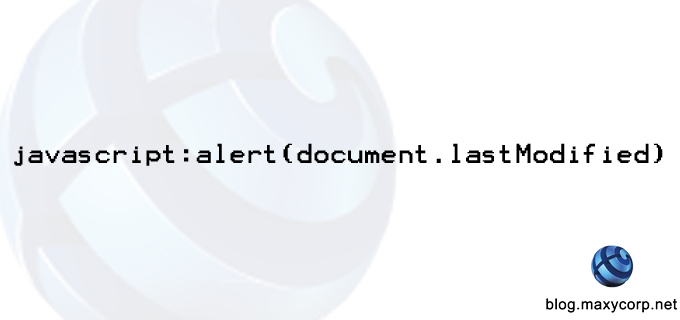
If you are a serious internet user and have ever thought to yourself, "I wonder when this website was last updated", then you need not wonder no more. You can effectively check the last time a website page was modified by entering the following into the address bar of the website:
" javascript:alert(document.lastModified) "
 This simple script queries the current document (web URL) being viewed for one of its native properties - lastModified. This property records the last time the document was modified. Ideally, this is used to tell the last time a webmaster edited the content of a page. Page visitors can use this information to assess the update status of sites that provide time-sensitive information.

This works best on static pages as dynamic pages may have scripts that constantly update the webpage content without the intervention of the Webmaster.

Monday, 31 October 2016

TrueCaller - How Do I Unlist My Number


Truecaller
Picture credit: Internet


Five years ago, the smart world was introduced to Truecaller - a brainchild of two engineers who wanted to offer smart phone users more control over their phone calls (or did they?) Truecaller has grown to be an authority of some sorts in screening phone calls by millions of users.

Monday, 26 September 2016

How to Change The Number of Posts On Blogger Main Page


Google Blogger

If you are a heavy blogger and use the Google Blogger service then you most likely have tinkled with the template design of your blog. Google doesn't have a robust buffet table when it comes to its repository of default blogger templates and very soon any serious blogger would start looking for other options.

Wednesday, 21 September 2016

Do It Yourself Internet Filter


HOW TO TO SET UP YOUR OWN INTERNET FILTER

Restrict Access To Select Websites on Your Windows PC

DISCLAIMER: Advanced level computer users and higher nerds will most likely find this easy and very helpful. The same cannot be said for beginner level users. MaxyCorp cannot be held liable for any time you may waste actually attempting this; any damage - programmatically or physically out of frustration - you may inflict upon your computer hardware after becoming angry at how out of the way this process actually is; and any operating system or software problems that may arise from toying with your Windows Host File. 

Wednesday, 15 June 2016

Tuesday, 31 May 2016

Friday, 22 April 2016

Google And Its EU Woes


Photograph by Dado Ruvic — Reuters
This essay originally appeared in Data Sheet, Fortune’sdaily tech newsletter. Sign up here.
For many Android users, one of the appealing things about Google’s mobile operating system is that it is an open ecosystem—anyone can install or modify it, since it is open source, and users can run any apps they want, something they can’t do on Apple’s iOS devices. But the European Union doesn’t see it that way. To the EU, Android is a just tool that Google uses to expand its mobile and search monopolies.
Tensions between the EU and Google have been brewing for some time, but they boiled over on Wednesday, when the European antitrust regulator served the web giant with a formal complaint, saying it believes Google has “abused its dominant position by imposing restrictions on Android device manufacturers and mobile network operators.”
For an offense like that, the EU can levy penalties of up to 10% of a company’s global revenue, which in Google’s case could be as much as $7 billion. That’s a big stick.
In many ways, the EU case against Google is similar to the U.S. antitrust case against Microsoft that was launched in 1998 and culminated in a large fine and other penalties. Much like Google, Microsoft was accused of using what’s called “tied selling” to force manufacturers to include specific pieces of software (the Internet Explorer browser, for example) with the Windows operating system.
One big difference in U.S. antitrust law is that the ultimate barometer of whether something is illegal is whether it negatively affects the consumer—for example, by raising the price of a product or service. That would make it difficult to prosecute Google for antitrust behavior, since the vast majority of its products are free. The European Union, however, doesn’t need to make that argument—it’s free to find Google’s behavior illegal regardless of what it costs.

Wednesday, 2 September 2015

Thursday, 27 August 2015

Ford Motors to Start Assembly in Nigeria


The 2015 Ford Ranger
Ford Motor Company is expected to start assembling its best-selling Ford Ranger pickup truck in Nigeria by the fourth quarter of 2015. The US automaker announced this on Tuesday, 11th of August as part of the company's expansion in Africa and the Middle East.

Friday, 14 August 2015

How to Roll Back From Windows 10


how to roll back from windows 10
How do I go roll back to my previous Windows?
So, you have made the big change and upgraded to Windows 10 and you are not too impressed (that's hard to imagine though). The question is, how do I revert back to my previous version of Windows?

Tuesday, 11 August 2015

Monday, 10 August 2015

Windows 10 Upgrade Report


The Windows 10 Task Manager view
We recently published a post about Windows 10 and the upgrade paths available to users who want to take advantage of the Microsoft's free upgrade which will be open for Genuine Windows users until the 26th of July, 2016. We have had our own Amaechi Ilo finish the upgrade from Windows 7 Professional to Windows 10 Professional on a Dell Latitude E6540 and has the following feedback.

Monday, 3 August 2015

Which Edition of Windows 10 Will I Get as a Free Upgrade?


Upgrading to Windows 10
I recently started the free upgrade process for Windows 10 on my Windows 7 Professional PC. Yippee! There has been so much noise made about how much Microsoft has  put in to Windows 10 to erase the bad memories of Windows 8 (much like what happened with Windows 7 after Windows Vista) that I just couldn't wait to get mainstream feedback from users before migrating. Plus, with the pace of users in these parts of the world to adopt new technology, I couldn't risk losing out on the Free Upgrade which Microsoft has offered for a year. In as much as I love using Windows, as an advocate for Open-Source technology, I don't see myself paying $199 for a Professional edition of the new Windows 10.

One of the questions I asked myself before starting off was this: "Which edition of Windows 10 will Microsoft give me?" So, I checked out the Microsoft FAQ page and found the exact answer. In summary:

Windows 7
From Edition To Edition
Windows 7 Starter Windows 10 Home
Windows 7 Home Basic
Windows 7 Home Premium
Windows 7 Professional Windows 10 Pro
Windows 7 Ultimate

Windows 8
From Edition To Edition
Windows Phone 8.15 Windows 10 Mobile
Windows 8.16 Windows 10 Home
Windows 8.1 Pro Windows 10 Pro
Windows 8.1 Pro for Students

If you have any edition other than what has been listed in the table above, you would need to purchase the Windows 10 operating system to experience it. Microsoft however, recommends a newer device when installing Windows 10 to get the full experience.

Happy Upgrade! Don't forget to tell us what your experience has been.